
iPhone Firmware 1.1.1 was released today (as expected) to the general public. It came with a warning from Apple:
“If you have modified your iPhone’s software, applying this software update may result in your iPhone becoming permanently inoperable. Making unauthorized modifications to the software on your iPhone violates the iPhone software license agreement, and the inability to use your iPhone due to unauthorized software modifications is not covered under your iPhone’s warranty.â€
I wanted to post my personal experience with the upgrade process for a phone that DID have 3rd Party applications on it and that WAS jailbroken but NOT unlocked. See my previous post for my ideas on the two. Reminder: SYNC your Photo album before you do anything as those photos will be lost!
What follows is a picture tour from my Mac desktop of iTunes in action. I followed the advice from iPhoneAtlas about doing a RESTORE first. When I clicked on restore (after doing a full sync), iTunes gave me the option to “Restore and Upgrade” which scared me a little but I had faith that Apple wouldn’t intentionally “brick” my phone simply because I had performed a “jailbreak.”
Step One – Download the Software

The new firmware was 152.3 MB in size according to my iTunes
Step Two – Uh Oh, an error
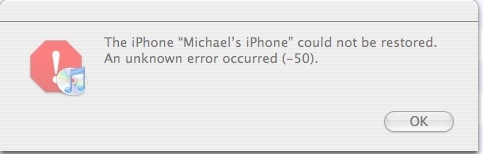
Very odd, I got an “Error -50” after iTunes verified the software and started the restore. What does that mean? This is where I panicked! So, something happened and I wasn’t sure what it was. So, I clicked the “Restore” button again and luckily the process started from the beginning (just without the download).
Step Three – Running through the Restore Process
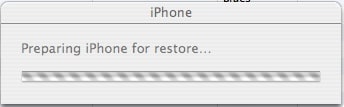
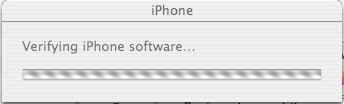
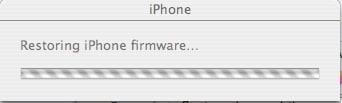
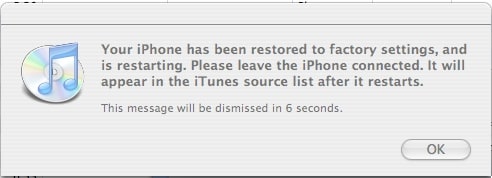
Now, iTunes just started working directly with the iPhone going through several steps including: upgrade in process, verifying, restoring again and reverifying. The order was a bit cryptic from the what was truly happening but it looks like first the firmware is checksummed within iTunes and verified, then it is applied to the iPhone, then the iPhone is verified against the original, then (perhaps) it was reinstalled and reverified. Something to that effect.
Step Four – Restoring and Resynching my items
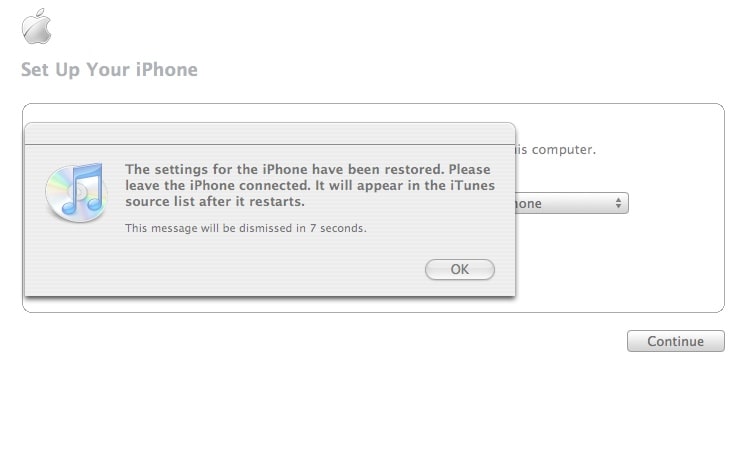
After the restore, my data was resynched to the iPhone. I had a series of Calendar conflicts, probably because I have many different “sources” for them due to my complex calendar synching (iPhone <-> iCal <-> Plaxo <-> Outlook 2007). But the calendar sync completed and my iTunes were then synched.
Step Five – Getting back on the iPhone
First thing after the sync was the request to enter in my Voicemail Password. There is now a new icon for the iTunes store in the 4th row. My wireless WEP passwords have to be re-entered. I guess this is a security caution.
After all was said and done, the Restore and Upgrade process seems to have worked for me. I don’t currently have any of my 3rd party applications but hopefully will be able to add those in a bit. Need to see what the “field tests” say first.
[poll=2]
HTD Says: Proceed with caution on this upgrade. Seems to work relatively ok with Jailbroken phones but don’t know about Unlocked ones.




15 Responses
I accidently upgraded to firmware 1.1.1 and there is practically no way back. I’ve tried apptap v.092 and even try to restore from itunes to 1.0.2. iTunes does some extraction of 1.0.2 and then some error comes in like the restoration cannot be done. Also I get blue screen when the i plugged in the cable and then green screen comes in. I think that’s apple’s protection to stop getting back to 1.0.2.
I’m so unlucky, i’ve been looking for last 8 hours online but couldn’t find a single method. I’ve got iphone in my hand but i cannot use it, it’s such a misery.
I accidently upgraded to firmware 1.1.1 and there is practically no way back. I’ve tried apptap v.092 and even try to restore from itunes to 1.0.2. iTunes does some extraction of 1.0.2 and then some error comes in like the restoration cannot be done. Also I get blue screen when the i plugged in the cable and then green screen comes in. I think that’s apple’s protection to stop getting back to 1.0.2.
I’m so unlucky, i’ve been looking for last 8 hours online but couldn’t find a single method. I’ve got iphone in my hand but i cannot use it, it’s such a misery.
@ Adnan,
Sounds like you hare having some major issues. There are some good tutorials on iPhoneAtlas.com that tell you how you can “downgrade”. This is one that I think is particularly good.
Let me know how it goes.
-HTD
@ Adnan,
Sounds like you hare having some major issues. There are some good tutorials on iPhoneAtlas.com that tell you how you can “downgrade”. This is one that I think is particularly good.
Let me know how it goes.
-HTD
Hello,
Good news, I managed to get back to firmware 1.0.2. but the modem firmware is on 1.1.1 (4.0.XXX) with the help of GREAT NATE TRUE’s Jailbreak 0.9 (Latest version out on 10/10/07). It helps you get back to 1.0.2 through verbose mode which is kind of serious stuff. Good work Nate!!
Anyway, i then jailbroke it and activated my phone and utube. Only thing that is not working is my t-mobile sim :(. I tried with anySIM 1.2 but after upgrading the firmware, it says the phone is already patched and it quits. So nothing is happening, however i’m using this for browsing, listening to music and photos. I can get all the 3rd application software. So if someone can help me the Sim please let me know,
when i put my t-mobile sim it say incorrect or incompitible sim. Thank you very much guys, much appreicated.
Hello,
Good news, I managed to get back to firmware 1.0.2. but the modem firmware is on 1.1.1 (4.0.XXX) with the help of GREAT NATE TRUE’s Jailbreak 0.9 (Latest version out on 10/10/07). It helps you get back to 1.0.2 through verbose mode which is kind of serious stuff. Good work Nate!!
Anyway, i then jailbroke it and activated my phone and utube. Only thing that is not working is my t-mobile sim :(. I tried with anySIM 1.2 but after upgrading the firmware, it says the phone is already patched and it quits. So nothing is happening, however i’m using this for browsing, listening to music and photos. I can get all the 3rd application software. So if someone can help me the Sim please let me know,
when i put my t-mobile sim it say incorrect or incompitible sim. Thank you very much guys, much appreicated.
Freunde,
I have got a iPhone gift from freund. I like to use for T-Mobile, not ATT. I got on 25-9-2007. So I think it is Ver 1.0, not Ver 1.1
Is there a possibilitty? Please help step-by-step. I know nothing about jail-brake or so.
Danke sehr!
Hans G.
Freunde,
I have got a iPhone gift from freund. I like to use for T-Mobile, not ATT. I got on 25-9-2007. So I think it is Ver 1.0, not Ver 1.1
Is there a possibilitty? Please help step-by-step. I know nothing about jail-brake or so.
Danke sehr!
Hans G.
so I can use it in Germany when I fly back. Please help.
HG (in die USA)
so I can use it in Germany when I fly back. Please help.
HG (in die USA)
so i can use it in Germany when i go back home.
so i can use it in Germany when i go back home.
@ Hans,
Well if you are on version 1.0, the next time you connect it to iTunes, you will be asked if you want to upgrade. You will have to continue to say No (Nein) over and over. Eventually you will have to do so. So, you either have to never upgrade the iPhone firmware and try to use one of the older AppTapp installers (located here: http://iphone.nullriver.com:16080/beta/ ). Be sure that you get the appropriate one for your firmware!
If you do upgrade to 1.1.1, there are now many other applications that can help you. I would check either http://www.iphoneatlas.com or http://www.tuaw.com for the latest information.
Good luck!
-HTD
@ Hans,
Well if you are on version 1.0, the next time you connect it to iTunes, you will be asked if you want to upgrade. You will have to continue to say No (Nein) over and over. Eventually you will have to do so. So, you either have to never upgrade the iPhone firmware and try to use one of the older AppTapp installers (located here: http://iphone.nullriver.com:16080/beta/ ). Be sure that you get the appropriate one for your firmware!
If you do upgrade to 1.1.1, there are now many other applications that can help you. I would check either http://www.iphoneatlas.com or http://www.tuaw.com for the latest information.
Good luck!
-HTD
after restoring my iphone do i really need to install firmware,if yes how?